One Car Screen for Every Part of the Journey
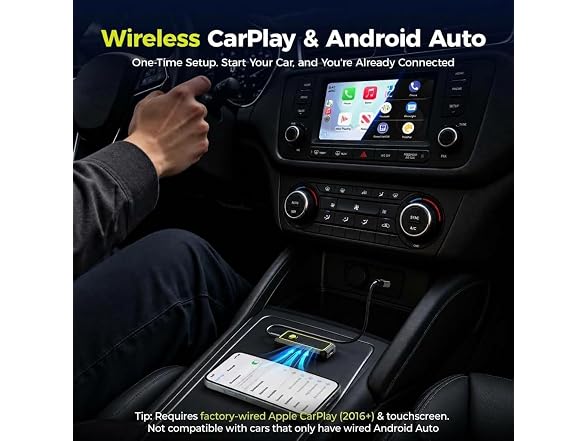
On the morning commute, use this wireless CarPlay adapter to bring directions, playlists, calls and voice assistance to the original car display without plugging in your phone. Whether you call it a CarPlay wireless adapter, Apple CarPlay wireless adapter, Apple Car Play wireless adapter or car play wireless adapter, the everyday benefit is the same: familiar phone features appear where drivers expect them. The wireless CarPlay adapter for iPhone works with iOS 10+, while the Android Auto wireless adapter supports compatible Android 11+ phones. After the first setup, Wireless CarPlay and the wireless Android Auto adapter reconnect for a smoother start to daily commutes, school runs and road trips.
More Than Standard CarPlay
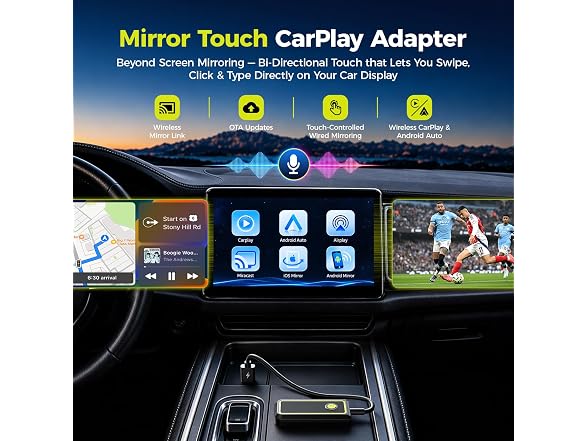
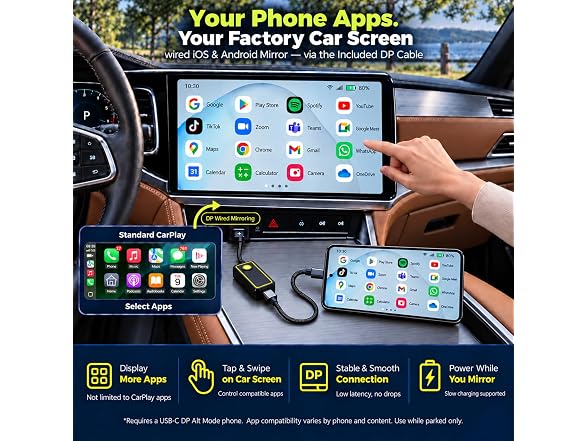
Standard CarPlay is useful for navigation, music and calls, but it limits which phone apps can appear on the dashboard. When safely parked, connect a compatible phone with the included DP cable and use touch mirror CarPlay to bring supported phone apps beyond standard CarPlay to the factory display. Browse social feeds, review work files, check market updates or access your favorite streaming platforms where app and content permissions allow.
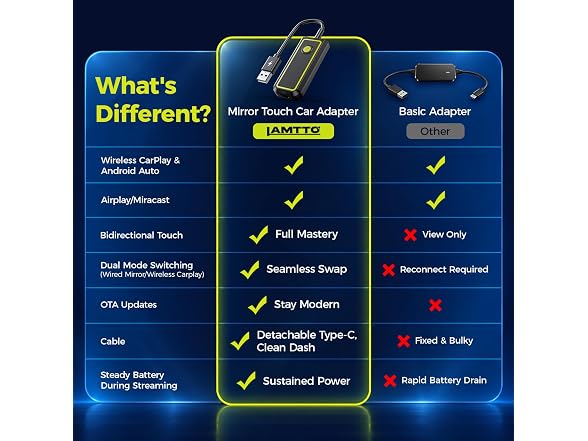
The car screen does more than display the phone. Tap, swipe, type, search, switch pages and control playback directly from the vehicle touchscreen. This bidirectional mirror control turns the device into a practical mirror touch box instead of a basic view-only car screen mirroring adapter. Your factory display becomes a larger, interactive extension of your phone for school pickups, EV charging sessions, road-trip breaks and other parked moments.
A More Stable Wired Mirroring Experience
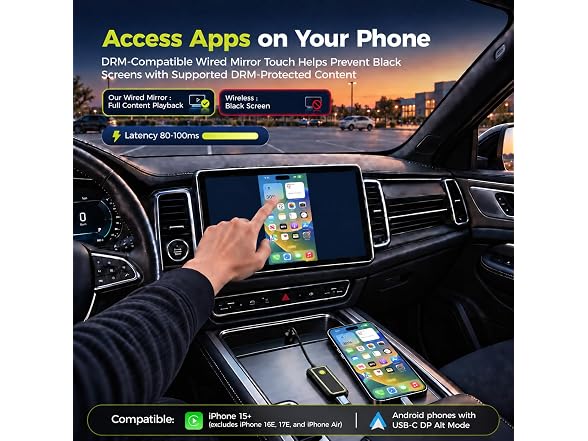
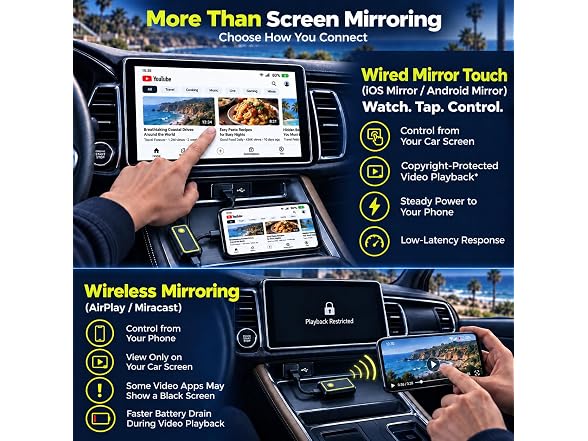
Wireless casting may produce a black screen with certain content, but the wired DP connection is designed to provide broader content display with fewer interruptions on supported phones and apps. With transmission latency rated below 80-100 ms under supported test conditions, taps, swipes and playback controls respond smoothly on the car touchscreen. During wired mirroring, the connection also supplies stable power to help slow phone battery drain, giving you more time to browse, work or enjoy compatible entertainment.
For shoppers looking to watch YouTube or TikTok in car, content availability depends on the phone, app, subscription and content-protection permissions. CarPlay Netflix playback is not a native CarPlay feature. TikTok on car screen and other video entertainment features should only be used while safely parked. Actual display, latency and power performance may vary by phone, app, vehicle and cable condition.
Wireless Viewing or Wired Touch Control
Wireless Mirror Link provides convenient, view-only casting when you want compatible phone content on a larger display without connecting the DP cable. This mode is designed for viewing; all scrolling, selections and playback controls must be performed on the phone.
For direct operation from the vehicle display, connect the included DP cable and switch to Wired Touch Mirroring. The wired mode adds lower-latency transmission, broader compatible-content display and responsive phone control from the car touchscreen. This clear choice makes the product both a convenient phone-to-car-screen solution and an interactive video streaming car adapter for compatible parked-use content.
One Button for Driving and Parked Modes
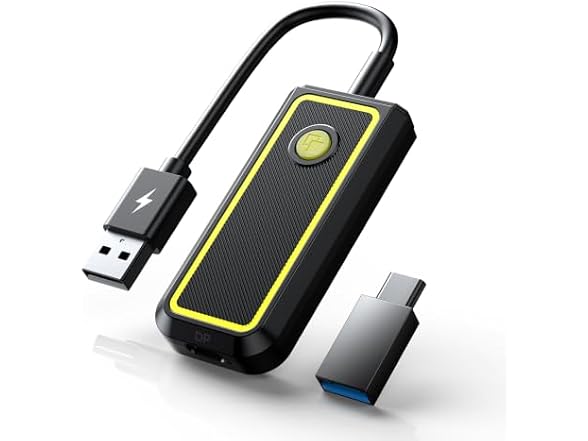
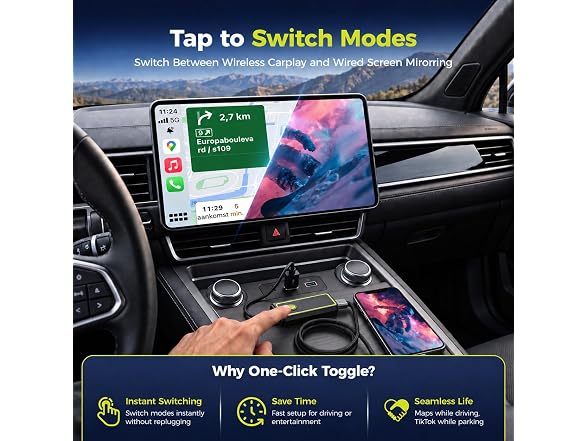
Press the dedicated button to move between wireless driving functions and wired touch mirroring. Use Wireless CarPlay or Android Auto for navigation, music, voice assistance and hands-free calls on the road. When safely parked, switch to wired phone mirroring for big-screen browsing, streaming and car-screen touch control. One compact car play adapter gives the factory display a practical role throughout every part of the journey.
OTA Firmware Updates
Built-in OTA update support allows the adapter to receive compatible firmware improvements without replacing the device. Available updates may improve connection stability, phone compatibility and overall performance as supported systems evolve, helping the Apple CarPlay wireless adapter stay ready for future phones and journeys. Available update content and timing may vary.
Compatibility Before Purchase
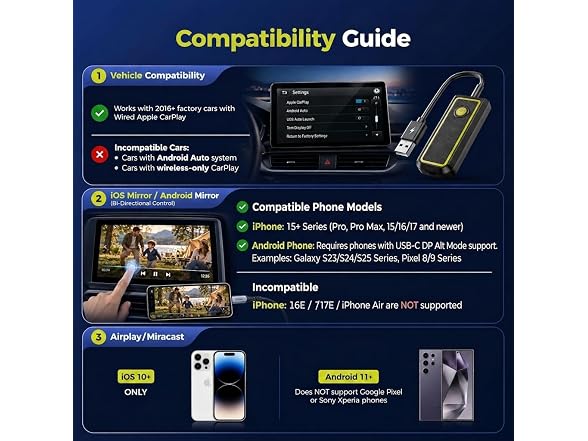
The vehicle must have factory wired OEM Apple CarPlay; Android-based car stereos are not supported. Wireless mode supports iOS 10+ phones for Wireless CarPlay and compatible Android 11+ phones for Wireless Android Auto.
Wired Touch Mirroring supports iPhone 15 and newer, excluding iPhone 16e, iPhone 17e and iPhone Air, plus select Android flagship phones with USB-C DP video output. Please verify the vehicle system and phone compatibility before ordering. Video, social media and streaming features are intended only for use while safely parked, and compatible-app performance may vary.
- 【Setup and Compatibility】① CHECK CAR: Requires factory wired OEM Apple CarPlay and a touchscreen. Test with iPhone + USB data cable; CarPlay must open. Not compatible with wireless-only CarPlay systems, Android car systems, BMW, or Tesla. ② CONNECT LAMTTO ADAPTER: Plug into car's CarPlay USB port to open the Home. ③ Phone: Choose CarPlay for iPhone or Android Auto for Android. Requires iOS 10+ or Android 11+. ④ Wired iOS & Android Mirror: Requires an iPhone 15 or later (excl. 16e/17e/Air) or a compatible Android flagship phone with DisplayPort (DP) video output.
- 【More Phone Apps on Your Car Screen】 Parked for lunch or waiting for pickup? Simply connect this CarPlay wireless adapter to a compatible USB-C DP Alt Mode phone using the included DP cable, then select "iOS or Android Mirror" to bring supported apps beyond standard CarPlay onto your existing touchscreen. Tap, swipe and scroll on the car screen instead of holding your phone. Apps run on the phone; view video only while parked. (𝗡𝗢𝗧𝗘: If video won’t play during wired mirroring, follow the OTA update instructions in Setup > Other to improve app compatibility. )
- 【Go Wireless for Everyday Driving】For commutes and road trips, use CarPlay or Android Auto to get directions, play music and take calls without plugging in your phone each drive. Select the phone mode on the car play wireless adapter Home and pair via Bluetooth/Wi-Fi. The car must still have factory wired Apple CarPlay.
- 【Share Moments Without a Cable】At a parked rest stop, share vacation photos or compatible short clips on your car screen using iPhone AirPlay or Android Miracast with this carplay screen mirroring adapter - no DP cable needed. Great for letting passengers see the same content. Wireless mirroring is view-only; control apps on your phone. DRM-protected video may display a black screen.
- 【One-Touch Mode】When the DP cable is plugged into your phone, press the carplay adapter’s dedicated button to switch between wireless CarPlay and wired iOS & Android Mirror. Use CarPlay for everyday navigation, then switch to phone mirroring to enjoy apps while parked. (𝗡𝗢𝗧𝗘: This button cannot switch to AirPlay or Miracast mode.)
- 【Slow Charging While You Mirror】 This screen mirroring adapter for car displays provides slow charging through the included DP cable during wired mirroring. It helps reduce battery drain without a separate charging cable. To protect the wireless adapter, slow charging only.
- 【LAMTTO Support You Can Rely On】Backed by a 30-day return policy and a 1-year warranty, it’s a gift you can give with confidence. If you have questions about compatibility, installation or connection, our professional support team is ready to provide timely troubleshooting.
Shipping Note: Shipping to Alaska, Hawaii, PO Boxes, and APO addresses is not available for this item
Warranty: 90 Day Woot Limited Warranty